Why touchless bathroom faucets stopped working?
A touchless faucet that “went dead” is usually a fast fix—most issues trace back to power, a blocked sensor window, a closed/partially closed water stop, or a valve/solenoid blockage.
Use the quick checklist below to restore operation before replacing parts.
Touchless faucet troubleshooting
Battery + AC adapter checks
Sensor cleaning + alignment
Solenoid / valve diagnostics
Commercial restroom reliability
|
|
Quick Answer
If your touchless bathroom faucet stopped working, start with a subsystem check:
power (battery/adapter) → sensor lens (clean/clear) → water supply (stops/strainers/aerator) → valve/solenoid.
This sequence resolves most “no response” calls quickly—especially in high-traffic restrooms.
Fast Fix Checklist (2–5 minutes):
- Replace or reseat batteries (confirm orientation; check corrosion).
- Clean the sensor window/lens with a soft cloth (remove soap film/mineral haze).
- Confirm under-sink stop valves are fully open.
- Check connectors at the control module (fully seated; no moisture).
- Remove and rinse aerator/screen (debris can mimic “dead faucet”).
If you need deeper diagnostics, follow the step-by-step flow below and document symptoms before requesting support.
Top reasons a touchless bathroom faucet stops working
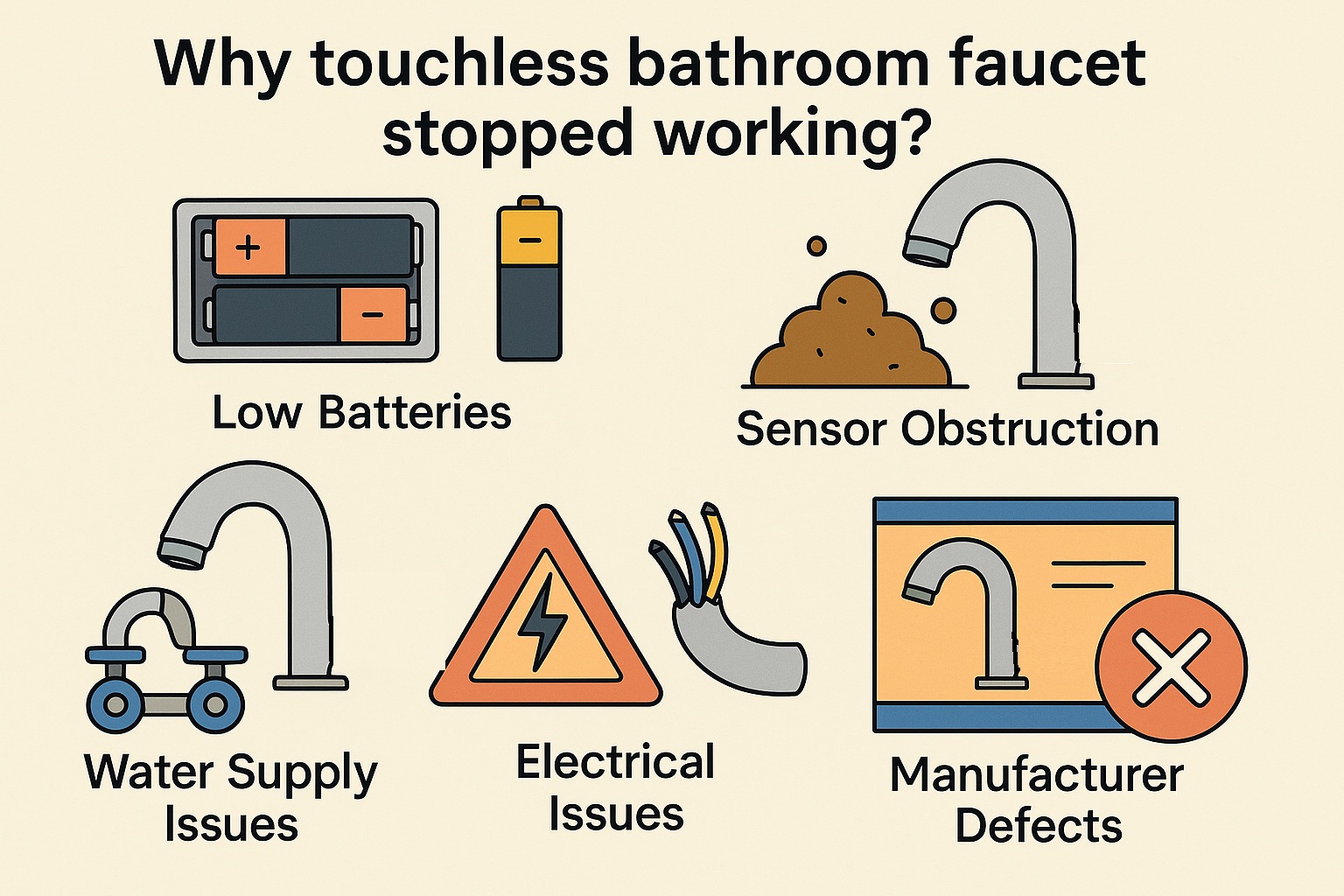
There can be several reasons if touchless bathroom faucets stopped working. Here are the most common causes:
-
Low Batteries:
Touchless faucets are typically powered by batteries. If the batteries are low or dead, the faucet may not function properly.
Replace the batteries first—many “dead” faucets are simply out of power.
-
Sensor Obstruction:
Touchless faucets detect hands via a sensor window. Dirt, soap film, hard-water haze, or debris can block detection.
Clean the sensor lens and confirm the activation range.
-
Water Supply Issues:
A closed stop valve, low supply pressure, clogged aerator, or debris in strainers can reduce flow to near-zero.
Verify water supply valves are fully open and remove outlet screens/aerators for cleaning.
-
Electrical Issues:
Touchless faucets require a stable power supply (battery pack and/or AC adapter). Loose connections, damaged wires, or moisture can interrupt power delivery.
Check the control module connections and keep electronics dry.
-
Manufacturer Defects:
If power, sensor cleanliness, wiring, and supply are confirmed and the faucet still fails consistently, document symptoms and contact FontanaShowers for assistance or replacement guidance.
Step-by-step diagnostic flow (recommended order)
Work in this order to reduce downtime and avoid unnecessary part replacement:
Power → Sensor → Water Supply → Valve/Solenoid → Control Module.
1) Power (battery / adapter)
- Replace batteries with fresh cells; verify polarity and seating.
- Inspect battery box for corrosion or loose contacts.
- If using an adapter, confirm secure connection and stable power delivery.
2) Sensor window / detection
- Clean lens: soap film + mineral haze are frequent culprits.
- Remove reflective clutter (mirrors/bright reflections can affect some sensors).
- Re-test activation distance with hands directly in front of the sensor.
3) Water supply + outlet
- Confirm stop valves are fully open.
- Remove and rinse aerator/screen; debris can stop flow.
- Check strainers (if present) for sediment buildup.
4) Solenoid / valve
- If you hear actuation/clicking but get no water, inspect valve internals for blockage.
- If water won’t shut off, inspect membrane/pilot path and confirm stable power.
5) Control module + wiring
- Reseat connectors; look for moisture ingress or damaged cables.
- Perform a controlled power reset (remove power briefly, then restore and test).
Field note: In many cases, weak batteries can still light an indicator but fail under solenoid load—causing intermittent or “no flow” behavior.
For Architects / Engineers
Specifier Summary
When a touchless faucet “stops working,” the fastest resolution path is a subsystem check: power → sensor window/aim → water supply → valve/solenoid. For high-traffic restrooms, include service access for the battery box/control module, specify commissioning verification (activation reliability + shutoff), and document a simple troubleshooting sequence at turnover to reduce downtime and callbacks.
Specifier add-ons to improve reliability (commercial restrooms)
- Service access: Ensure battery box/control module can be reached without removing the entire fixture.
- Commissioning checklist: Verify activation reliability, shutoff timing, and stable operation under normal lighting/reflections.
- Water quality planning: Add maintenance notes for hard-water environments (sensor lens + aerator cleaning).
- Downtime reduction: Provide a 1-page troubleshooting sequence at turnover for facilities teams.
This is especially helpful for large-scale projects, office buildings, and airport facilities where restroom uptime matters.
Prevention: keep touchless faucets from failing again
Simple monthly upkeep
- Wipe sensor window (soft cloth) to prevent haze/film buildup.
- Inspect and rinse aerators/screens (sediment, lime, debris).
- Check battery box for corrosion and secure battery seating.
High-traffic restrooms
- Stock spare batteries (or approved adapters) to cut downtime.
- Document a quick diagnostic order: power → sensor → supply → valve.
- Track repeated battery drain—often indicates wiring/sensor lead issues.
Frequently Asked Questions
Why can a touchless faucet stop working suddenly even if it worked yesterday?
The most common “sudden stop” causes are depleted batteries, a blocked/dirty sensor window, a closed supply stop, or a loose electrical connection at the control module. Start with power checks before mechanical service.
Read more
Which quick checks should be performed first under the sink?
Confirm stop valves are fully open, verify the power module is connected, check battery orientation/corrosion, and ensure connectors are fully seated. These items resolve many “no response” calls without disassembly.
See common issues
Why do low or dead batteries cause no water flow even when the sensor sees hands?
A weak battery may power the sensor indicator but fail under solenoid load, preventing the valve from opening reliably. Replace batteries and re-test before chasing plumbing faults.
Check maintenance guide
Which sensor obstructions most often prevent activation?
Soap film, mineral haze, hard-water spots, or debris on the sensor lens can block/attenuate detection. Clean the sensor face with a soft cloth and validate activation range after cleaning.
See details
Why can water supply problems mimic a “failed” touchless faucet?
Partially closed stops, debris in strainers, or clogged aerators/screens can reduce flow to near-zero. Verify supply is open and clean outlet components before replacing electronics.
Review flow diagnostics
Which electrical issues commonly stop operation in commercial restrooms?
Loose connectors, damaged cables, moisture ingress at the control box, or unstable AC adapter connections can interrupt power delivery. Confirm stable power and secure wiring before valve service.
Learn more
Which symptoms point to a solenoid valve or membrane issue?
If power is confirmed and the unit attempts to actuate (often a click at the pilot/solenoid) but water does not flow or does not shut off correctly, inspect valve internals (membrane/pilot path) per the service guide.
Service steps
Why do batteries sometimes drain unusually fast in a touchless faucet?
Rapid drain is often linked to a fault condition such as a sensor/cable issue or intermittent electrical contact that increases power consumption. Inspect connectors and sensor lead condition before repeated battery replacement.
See voltage checks
Which field reset approach restores normal operation after a temporary glitch?
A controlled power reset is often effective: remove/disable power briefly, restore power, then validate activation and shutoff timing. After any reset, confirm stability under normal restroom lighting and reflections.
Operating logic
When should the issue be treated as a manufacturing defect or warranty case?
If power, sensor cleanliness, wiring, and supply are verified and the faucet still fails consistently, document the observed symptoms and pursue manufacturer support for service guidance or replacement.
Check this page
Browse Featured Selections
|
|
|